
I spend a strange amount of time studying YouTube thumbnails. Not because I love graphic design. I do it because thumbnails decide whether a video gets clicked or scrolled past.
So when I came across the YouTube Thumbnail Downloader built by Thumbs.ai, I decided to actually test it, not just skim the landing page. I used it daily for two weeks across different content types. This review covers what happened during that time, not what the marketing copy claims.
What Problem This Tool Is Trying to Solve
The Everyday Friction of Thumbnail Research
Creators study competitor thumbnails constantly. Screenshotting a video preview is clumsy. The quality drops, the crop is wrong, and the file often looks pixelated when enlarged.
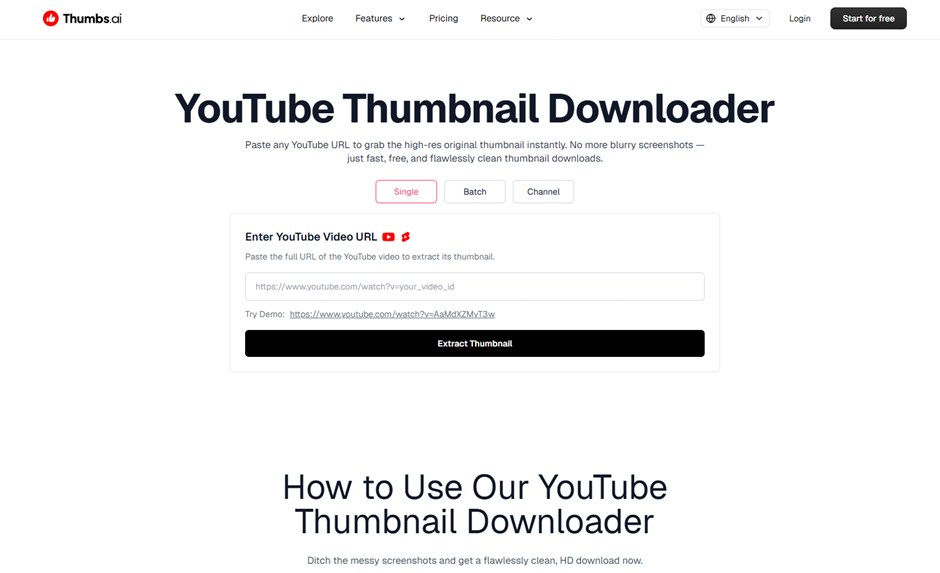
Thumbs.ai built this tool to skip that mess entirely. You paste a video link. The system pulls the original thumbnail file straight from YouTube’s own servers.
Why That Distinction Actually Matters
YouTube stores thumbnails in several resolutions, from a small default size up to a full 1280×720 maxres version. A screenshot tool usually just grabs whatever loads on screen, compression and all.
A proper downloader skips that step completely. That’s the entire reason a dedicated YouTube Thumbnail Downloader exists in the first place.
Feature Breakdown: What’s Actually Inside
I tested this across gaming videos, tutorials, vlogs, and a couple of shorts.
Resolution Options
The tool offers multiple size choices for each thumbnail. I could pull the maxres version when it existed, and fall back to a smaller default file when it didn’t.
Interface and Speed
There’s no login wall. No sign-up form blocking the first download attempt. I pasted a URL and got a preview in under three seconds, consistently, across roughly forty tests.
File Output
Downloads came through as clean JPG files. No watermark stamped across the image. No forced branding overlay, which is more common than it should be in this category of tool.
My Actual Workflow, Step by Step
First Attempt
I grabbed a random tutorial link and pasted it in. The preview loaded almost instantly, and the download button worked without extra clicks or redirects.
Testing the Edge Cases
I tried a video that had recently been deleted. The tool returned a clear error instead of a broken image file, which felt honest. A live stream thumbnail also pulled correctly, showing the current preview rather than a stale cached one.
Repeated Use Over Two Weeks
I processed around forty thumbnails total during testing. Not one request failed because of a server issue on their end, which says more about reliability than any single feature does.
Strengths and Weaknesses I Actually Noticed
No tool is flawless, and this one has clear limits alongside its strengths.
| What Worked Well | What Fell Short |
| Downloads load in under three seconds | No batch download for multiple URLs at once |
| Clean interface, minimal ads | Limited strictly to YouTube, no other platforms |
| No forced account creation | No built-in cropping or editing after download |
| Original resolution preserved | Slight lag on thumbnails from very fresh uploads |
The missing batch feature was the biggest gap for me. Anyone tracking a dozen competitor channels ends up pasting the same URL pattern over and over, one at a time.
Comparing This to the Manual Screenshot Method
I ran a side-by-side test. I screenshotted a thumbnail manually, then downloaded the same image through Thumbs.ai.
The Quality Gap
The screenshot version looked visibly softer when zoomed in. The downloaded file kept sharp edges and true color, since it came from the source file rather than a rendered screen capture.
The Time Gap
Screenshotting, cropping, and saving took me close to a minute per image. The downloader finished the same task in seconds, every single time.
Who This Tool Actually Fits
Independent Creators
Solo YouTubers doing competitor research benefit the most from this. Comparing your own thumbnail against five rivals takes minutes instead of an entire afternoon.
Marketing Teams and Agencies
Agencies managing client channels often need these images for pitch decks and performance reports. Original-quality files matter more when presenting work to a paying client.
Casual Researchers
Not everyone pulling thumbnails is a content creator. Some people just want a clean image for a blog post, a slide deck, or a class presentation.
Where This Fits in the Bigger Thumbnail Landscape
Thumbnail testing has grown into its own small industry inside content creation. Plenty of creators run weekly A/B tests on titles and thumbnails, chasing even a small lift in click-through rate.
A YouTube Thumbnail Downloader plays a quiet supporting role in that whole process. It’s not the exciting part of a content strategy. It’s the research step that happens quietly before anything flashy gets built.
This space is also fairly crowded. Dozens of thumbnail grabbers exist online, and many are stuffed with ads or misleading download buttons that lead nowhere useful. Thumbs.ai’s version stood out mainly by avoiding all of that clutter.
Final Thoughts After Two Weeks of Testing
I didn’t expect much going into this test. It’s a narrow, single-purpose tool with one clear job.
That narrow focus turned out to be its strength. It pulls YouTube thumbnails cleanly, quickly, and without friction, and it makes no attempt to be anything more than that.
If you need one specific task done well, this handles it without complaint. If you need bulk processing across dozens of URLs or support for other platforms, you’ll still need to pair it with something else.