
Visual search has quietly become one of the most practical corners of the internet.
Instead of typing clumsy keyword strings, you can drop in a photo and let an AI image search engine do the heavy lifting.
These engines match colors, shapes, textures, and even human faces against billions of indexed images.
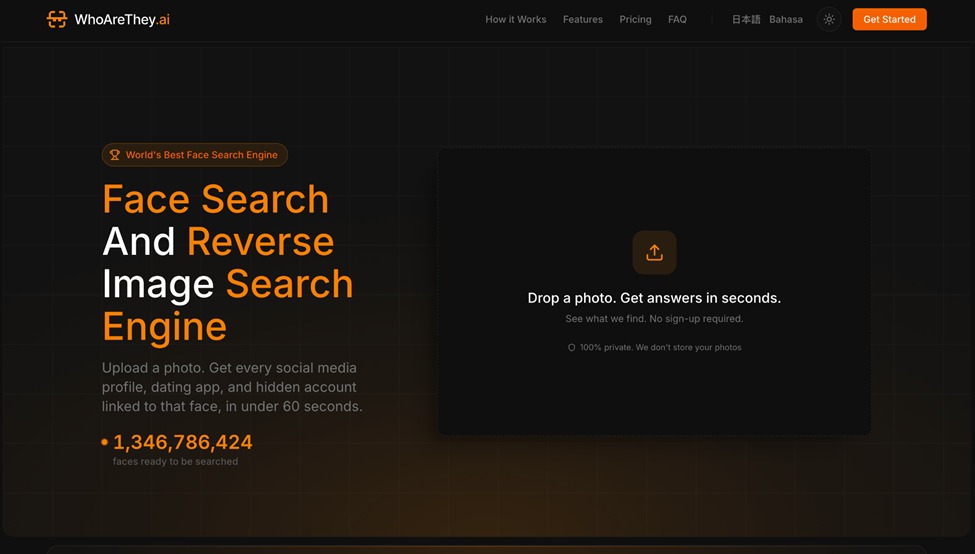
The technology has matured to the point where there are now tools that can match a face online with startling accuracy, alongside platforms built for product identification, copyright enforcement, and investigative research.
But not every tool handles every job equally well, and the gap between the best and worst options is wider than most people expect.
This ranked breakdown covers what’s actually worth using right now, where each tool excels, and where each one falls short.
1. Google Lens
Google Lens remains the default starting point for most visual search tasks.
It sits on top of Google’s massive image index and uses deep learning models trained on an almost incomprehensible volume of visual data.
You can snap a photo of a houseplant, a pair of Nike Air Max sneakers, a European cathedral, or a product barcode and get relevant results in seconds.
Where it really shines is product identification.
Point it at a jacket or a standing desk lamp, and Lens will surface shopping results, visually similar items, and even price comparisons across retailers.
It also handles text extraction from images surprisingly well, pulling readable text from restaurant menus, street signs, and handwritten notes.
The limitation is that Google Lens is mediocre at facial recognition.
It deliberately avoids surfacing identity-matching results for privacy reasons, which makes it a poor pick if your goal is tracking where a specific person’s photo appears across the web.
2. TinEye
TinEye pioneered reverse image search long before Google jumped in, and it still holds its own for one specific use case: finding exact and near-exact copies of an image across the web.
Photographers, brand managers, and intellectual property lawyers use it heavily to track unauthorized use of their work.
Its index covers over 70 billion images, and the matching algorithm is tuned for precision over breadth.
TinEye won’t tell you what’s in a photo.
It tells you where that specific photo has been published before, and that’s a crucial distinction.
Upload a landscape photo hoping to identify the location, and TinEye won’t help.
But if you want to know which websites reposted your portfolio shot without credit, it’s unmatched.
The sort-by-date feature is underrated, letting you trace an image back to its earliest known appearance online.
That’s invaluable for debunking viral content or establishing original authorship.
3. PimEyes
PimEyes is built entirely around facial recognition search.
Upload a selfie or a photo of someone, and PimEyes scans the open web for other images containing that same face.
It pulls results from news articles, blog features, forum threads, and publicly accessible social media posts.
The underlying AI image search technology uses deep neural network embeddings to map facial geometry.
It doesn’t just look for the same photo.
It finds entirely different photos of the same person, taken at different angles, in different lighting, sometimes years apart.
PimEyes offers a free tier with blurred results and a paid plan that reveals full URLs and source pages.
It’s marketed as a tool for managing your own online presence, but the obvious privacy implications have drawn scrutiny from regulators in the EU and elsewhere.
For anyone trying to audit where their face appears across the internet, few tools come close to this level of depth.
4. Yandex Images
Yandex Images flies under the radar in Western markets, but it’s arguably the strongest general-purpose reverse image search engine available for identifying people.
While Google deliberately limits facial matching, Yandex has no such restriction.
Upload a portrait photo, and Yandex frequently returns social media profiles, news appearances, and other public photos of the same individual.
It pulls heavily from Russian-language sources but also indexes English, European, and Asian content at scale.
For anyone doing open-source intelligence research, Yandex is a critical tool in the stack.
Beyond faces, Yandex handles location identification and object recognition well.
Drop in a photo of a building or a streetscape, and it often pins down the city or even the exact address.
5. Bing Visual Search
Microsoft’s Bing Visual Search is easy to overlook, but it’s quietly solid for product discovery and visual similarity matching.
It integrates directly with Microsoft Edge and the Bing mobile app.
The results frequently surface items from retailers that Google’s index misses, particularly smaller or niche e-commerce stores.
The crop tool is a nice touch.
You can draw a bounding box around a specific object within a larger image, and Bing will search only for that cropped region.
That’s useful when you’re trying to identify a single item in a busy photo, like a dining chair in a room setup shot or a specific ceramic tile pattern.
It’s weaker on facial recognition and exact-match lookups compared to dedicated tools.
Bing Visual Search works best as a shopping and identification engine, not an investigative one.
6. Copyseeker
Copyseeker is a newer entrant focused specifically on image theft detection and copyright enforcement.
It’s built for creators like photographers, digital artists, and graphic designers who want to find unauthorized use of their work.
The AI image search engine behind Copyseeker handles cropped, resized, and color-altered versions of your originals.
Someone flips your photo horizontally, slaps a filter on it, and posts it to their blog?
Copyseeker can still match it.
That resilience to modification sets it apart from basic reverse image search tools, which often fail when an image has been even slightly edited.
It integrates with a DMCA takedown workflow, so once you find unauthorized copies, you can initiate removal requests directly from the platform.
For professional photographers dealing with image theft at scale, this is a genuine time-saver.
How to Pick the Right AI Image Search Tool
No single AI image search engine covers every scenario.
The right pick depends entirely on what you’re trying to accomplish:
- Finding where your photo was reposted: TinEye or Copyseeker
- Identifying a product from a photo: Google Lens or Bing Visual Search
- Searching for a specific face across the web: PimEyes or Yandex Images
- Running OSINT or investigative research: Yandex Images combined with PimEyes
- General-purpose “what is this thing” searches: Google Lens
Stack two or three of these together, and you’ll cover nearly any visual search task.
The technology behind AI image search is moving fast, with models getting better at understanding context rather than just raw pixels.
These tools reflect where things actually stand right now, not where a press release says they’ll be next year.